
Introduction
The internet is an amazing place. We all use the internet to educate ourselves, watch videos, communicate with people, and do schoolwork, among many other activities. But like the physical world, the virtual world is not entirely safe. Everyone, regardless of age, may fall victim to cyber crimes like phishing, bullying, and identity theft, even students using the internet.
This makes it necessary for every school-going child to have a cyber safety guide. The guide contains everything about the virtual world’s possible threats and how to avoid them. No matter whether you access the internet through a smartphone, a laptop, a tablet, or a computer at school, you can apply the advice to keep yourself safe on the internet.
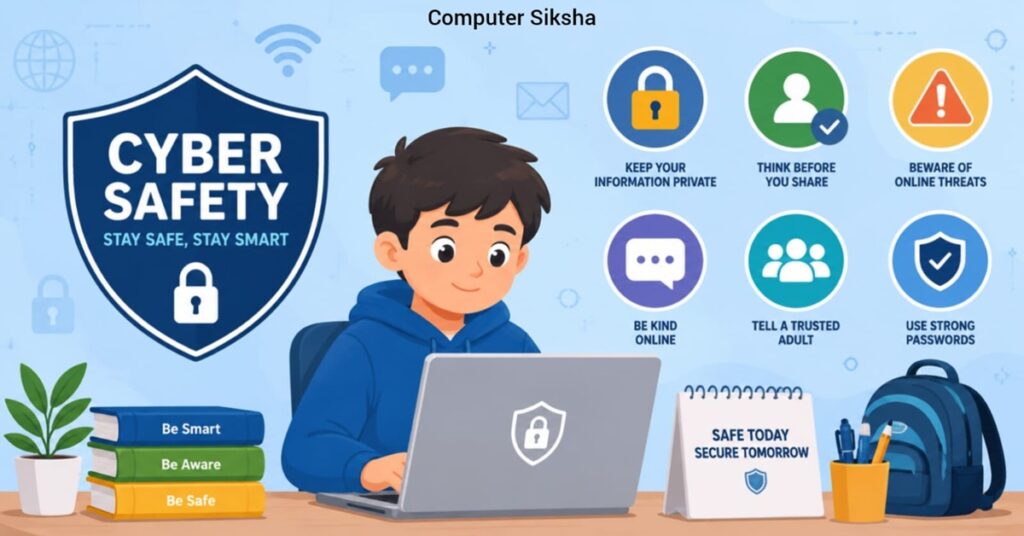
So, let us begin. Read this guide carefully. Share it with your friends and family too.
What Is Cyber Safety?
Internet safety is about safeguarding yourself against threats on the internet. This can include safeguarding your personal data, staying away from suspicious sites, and using the internet responsibly.
In other words, much like how you always ensure that there are no incoming vehicles when you cross the street, you need to be equally cautious while browsing the internet
Why Do School Students Need Cyber Safety?
Students now spend many hours online. This implies that they expose themselves to various threats in the online world more than adults realize. The importance of cyber safety to students is highlighted below:
- You can accidentally reveal personal information to strangers.
- You could be targeted by cyberbullies.
- You can unknowingly install malware on your computer.
- Your photographs or videos can be used inappropriately.
- You can get tricked by false websites.
Because students tend to be naturally curious, they use the internet carelessly and without considering any possible dangers. Thus, acquiring cyber safety knowledge at an early age is crucial.
Protect Your Personal Information
Your personal information is like gold. As soon as you put it in cyberspace, there is no taking it back. This means that at all times, you should exercise caution while typing anything on a website.
Do not reveal the following pieces of information:
- Your name, address, or phone number.
- Name of your school and your class details.
- Password or PIN number.
- Bank or payment details (even if your parents have an account).
- Daily routine or location.
Moreover, do not fill in any form from any unknown website asking for your personal details.
Create Strong Passwords
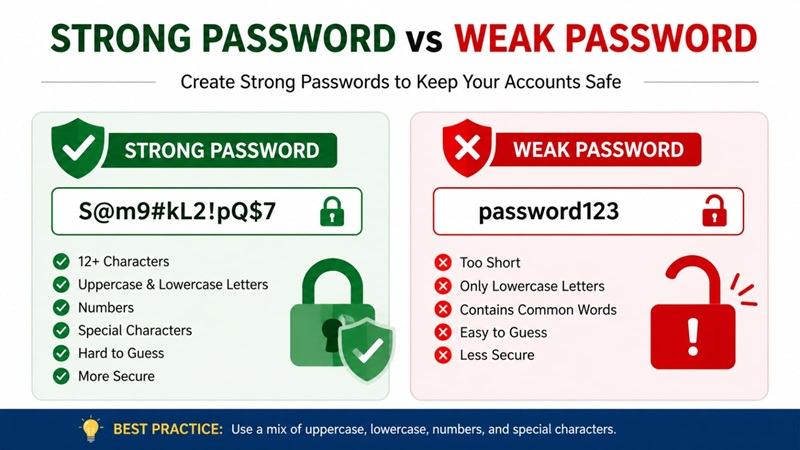
A strong password acts as your security blanket when using the internet. Regrettably, students tend to create easy-to-guess passwords such as “123456” or their own names.
How to Create a Good Password:
- Use at least eight characters.
- Use upper– and lower-case letters.
- Incorporate numbers and symbols such as @, #, or !
- Do not use personal information like names, birthdays, and pets’ names.
- Create a unique password for each site you visit.
- Change your password periodically.
Moreover, never share your password with anyone — not even your best friend. Because if your account gets hacked, you will lose access to everything.
Beware of Cyberbullying
Cyberbullying is an act whereby an individual is harassed, threatened, insulted, or harmed using internet services. This can be done via messaging, posting on social media sites, email messages, or online gaming. Moreover, it may be equally as traumatizing as face-to-face bullying—sometimes even worse.
Here are some signs of cyberbullying:
- Someone keeps harassing you with cruel messages.
- Rumors are being circulated about you on the internet.
- Someone is sharing your photos without your permission.
- You feel scared or upset after using the internet.
What should you do if it happens?
- Ignore any communication from the bully.
- Make sure to capture screenshots.
- Immediately block the individual.
- Inform an adult, either your parents or teachers.
Remember, it is never your fault. Speak up and ask for help right away.
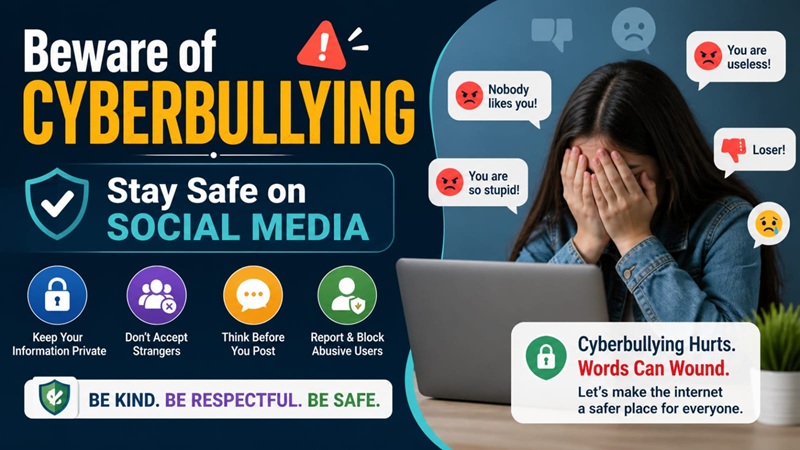
Stay Safe on Social Media
Social media is enjoyable; however, there are some dangers that come with it. Students often access Instagram, YouTube, Snapchat, and other social media sites without knowing much about their privacy controls.
Here are some simple ways to stay safe on social media:
- Change your profile settings to “private.“
- Only accept friend requests from those you personally know.
- Do not share your location or schedule.
- Think twice before posting anything—it will be visible forever once posted.
- Do not talk to strangers in DMs (direct messages).
- Log out after using social media on shared devices.
Also, beware of how other people may post about you. If someone tags you in an image that makes you feel awkward, request its removal.
Avoid Phishing and Online Scams
“Phishing” refers to a scam carried out by cybercriminals where they use false email or other forms of communication to obtain your personal information. For instance, you may receive an email asking you, “Congratulations! You have won a prize. Click here to redeem it.” In most cases, the link provided will take you to the wrong site.
How to recognize phishing attacks:
- The message creates urgency (“Hurry up! This offer will end soon!”).
- Asks for personal or financial details.
- The sender’s email address appears strange or wrongly spelled.
- Typographical errors in the email.
- A different URL than the actual website address.
What you should do:
- Avoid clicking suspicious URLs.
- Don’t download any files sent through the email.
- Always check the website address carefully before entering any details.
- Tell an adult if you receive a suspicious message.
Be Safe While Gaming Online
Online gaming is common among students at schools. Although online gaming is a good hobby, it poses certain unseen dangers. Some people in the game may pose as your friend and then request your personal details.
Tips for safe online gaming:
- Use a username that does not reveal your real name.
- Never share your phone number or address with gaming friends.
- Do not accept gifts or offers from strangers in games.
- Report players who use bad language or behave strangely.
- Ask your parents before downloading new games.
Use Safe and Trusted Websites
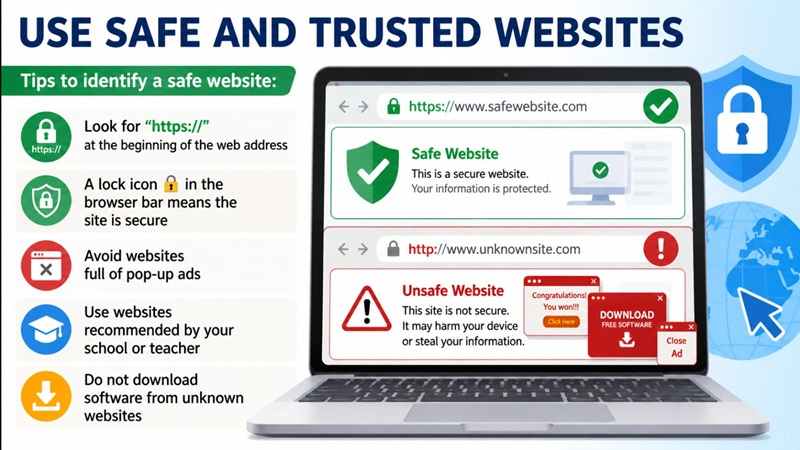
Not all sites online are safe. There may be some dangerous sites which can cause viruses to harm your computer. That is why it is important to ensure that the site you visit is safe.
Tips to identify a safe website:
- The URL starts with “https://”.
- A lock icon 🔒 in the browser bar means the site is secure.
- Avoid websites full of pop-up ads.
- Visit websites suggested by your teacher or school.
- Never download any software from suspicious websites.
Moreover, it is important that you use an anti-virus software on your device as well.
Think Before You Click or Share
This is perhaps one of the most crucial rules of cyber safety. Every time before clicking on anything or forwarding any message, take a little time to think about it.
Ask yourself:
- Do I know who sent this?
- Is this information real or fake?
- Could this link be harmful?
- Would I be comfortable if my teacher or parent saw this?
If any of the above questions gives rise to doubt within your mind, avoid clicking or forwarding it completely. Better safe than sorry.
Frequently Asked Questions (FAQ)
Q1. What is the most common cyber threat for school students?
The two most common threats include cyberbullying and phishing. Students often receive false messages or experience bullying via social media and video games.
Q2. Is it safe to use public Wi-Fi at school or in cafes?
Not all public Wi-Fi networks are safe to use. Do not log on to important accounts or provide personal information through public Wi-Fi. Make sure that you use a virtual private network.
Q3. What should I do if someone asks for my photo online?
Never send your photo to someone you do not know in real life. Block them and tell a trusted adult immediately.
Q4. How can I report cyberbullying in India?
You can report cyberbullying at the National Cyber Crime Reporting Portal: cybercrime.gov.in. You can also call the helpline number 1930.
Q5. Can my school see what I do online?
At school on school computers or via the school network, yes — you could be tracked.
Conclusion
The internet provides endless possibilities for knowledge and development, but it should be used responsibly and carefully. Maintaining privacy by not sharing sensitive data, creating solid passwords, not getting in touch with strangers, and notifying others about any suspicious behavior will ensure protection from online threats. Never forget that whatever you do online defines you. Therefore, always be polite and careful while exploring the internet world.