
Introduction
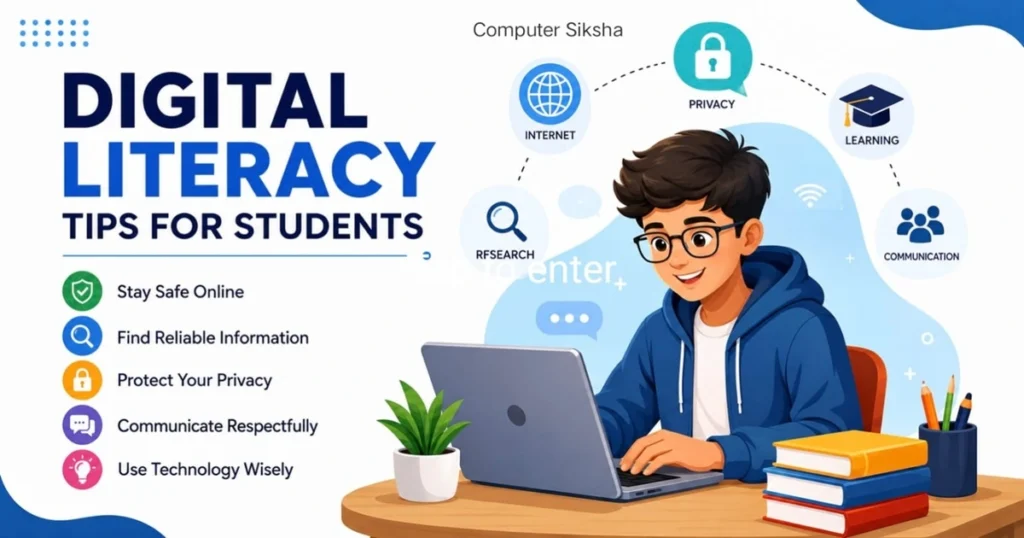
In today’s world, it is very essential for every student to possess digital skills so that they can make a mark in education and life in general. “Digital literacy” refers to the ability of an individual to use technology such as computers, the internet, and online platforms in a safe and intelligent manner. Not only do these skills enhance your learning process, but they are also helpful in making you safer online and helping you get ready for your career. Lastly, possessing these skills makes you more independent and confident in nature.
What Is Digital Literacy?
Digital literacy is not simply being able to operate a computer but rather entails knowing how to access information on the web, validate the credibility of sources, secure your private information, and utilize technology responsibly. It also means being aware of how to interact with other people in a proper manner when communicating online. Digital literacy can help you become a wise internet user. This skill is essential for your success as a student and for your protection.
Why Digital Literacy Matters
In the modern world, digital literacy is as important as reading and writing. Consequently, students who lack these skills often struggle academically and socially. Furthermore, employers now expect all workers to have basic digital skills. Meanwhile, online threats like phishing, cyberbullying, and identity theft are becoming more common. Therefore, protecting yourself online is critical. Additionally, learning digital skills now gives you a competitive advantage for college and career opportunities.
Key Digital Literacy Tips for Students
1. Search the Internet Smart
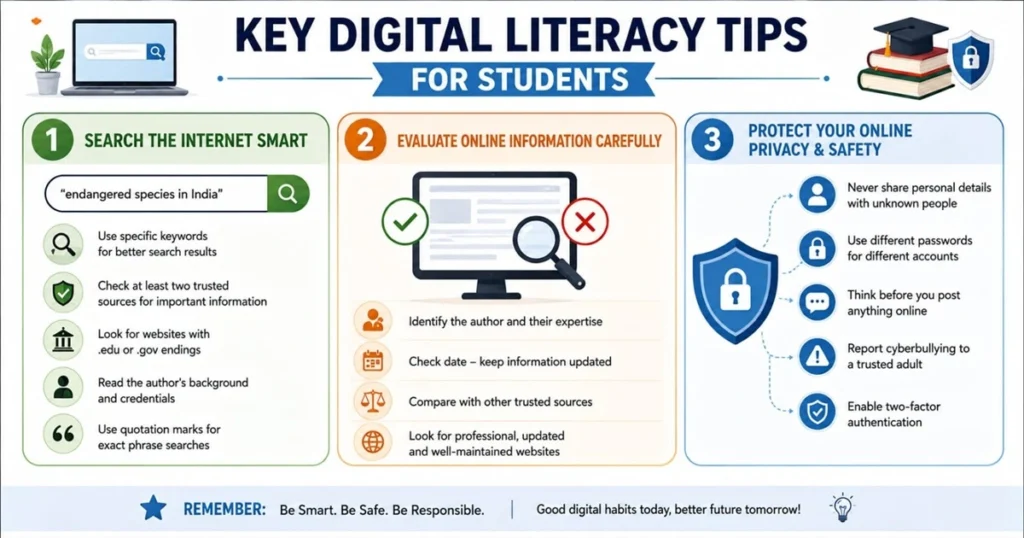
While searching for information, it is advisable to use relevant keywords rather than broad terms. For example, rather than using the term “animals,” use such phrases as “endangered animals in India” or “conservation of Indian wildlife.” Moreover, get into the habit of putting quotation marks around phrases that you want to search. This way, not only will you spend less time but also you will come up with relevant results. In addition, it is important to verify whatever information you have obtained by comparing data on various websites.
Key Points:
- Use specific keywords for better search results
- Check at least two trusted sources for important information
- Look for websites with .edu or .gov endings for reliable information
- Read the author’s background and credentials before trusting their content
- Use quotation marks for exact phrase searches
2. Evaluate Online Information Carefully
Everything that we find online cannot be necessarily correct or useful. Therefore, it is imperative for us to learn how to determine whether information is reliable or not. The first thing you should do is look at the author’s credentials regarding the field under discussion. Secondly, you should assess the quality of the website itself and see whether or not it seems reputable. You can also verify the information by comparing it with similar information from credible websites. In this way, you prevent yourself from distributing wrong information and making poor judgments.
3. Protect Your Online Privacy and Safety
Personal information is precious and has to be protected at all costs. Hence, do not disclose your complete address, telephone number, or even the name of your school to anyone on the internet who is unknown to you. Furthermore, use strong passwords consisting of numbers, alphabets, and special characters. Besides, update your password often to be safe from any cyber attacks. In addition to this, be very cautious about posting anything online. Further, report to an adult immediately if any such behavior is exhibited by an online stranger.
Safety Rules to Remember:
- Never share personal details with unknown people online
- Use different passwords for different accounts and platforms
- Think before you post anything online or share it publicly
- Report cyberbullying to a trusted adult immediately and save evidence
- Enable two-factor authentication on important accounts
4. Use Reliable Research Tools
Use Google Scholar, educational databases, and websites of libraries to get reliable sources for your research papers. Do not use any random websites for doing homework and other assignments, and always remember that your college or university library gives access to all databases for free. Moreover, you can use Wikipedia for getting an idea about various topics and some basic concepts related to different subjects, but never take any information from there alone. You need to mention appropriate references in your assignment for scoring good marks.
- Use trusted academic websites for accurate and reliable information.
- Compare information from multiple sources before using it in projects.
- Save useful research links and notes for future assignments.
- Check the publication date to ensure the information is updated and relevant.
5. Understand Copyright and Give Credit
When you refer to any words, pictures, or ideas by another individual, you need to provide proper citations. The act of copying and pasting the information without giving appropriate credits is referred to as plagiarism, which is an unethical practice. It is therefore important that one make use of the correct styles of referencing, such as MLA and APA, to provide accurate citations.
- Always mention the original source of information.
- Avoid copy-pasting content from websites or books.
- Use plagiarism checker tools before submitting work.
- Learn basic MLA and APA citation formats.
6. Develop Good Digital Habits
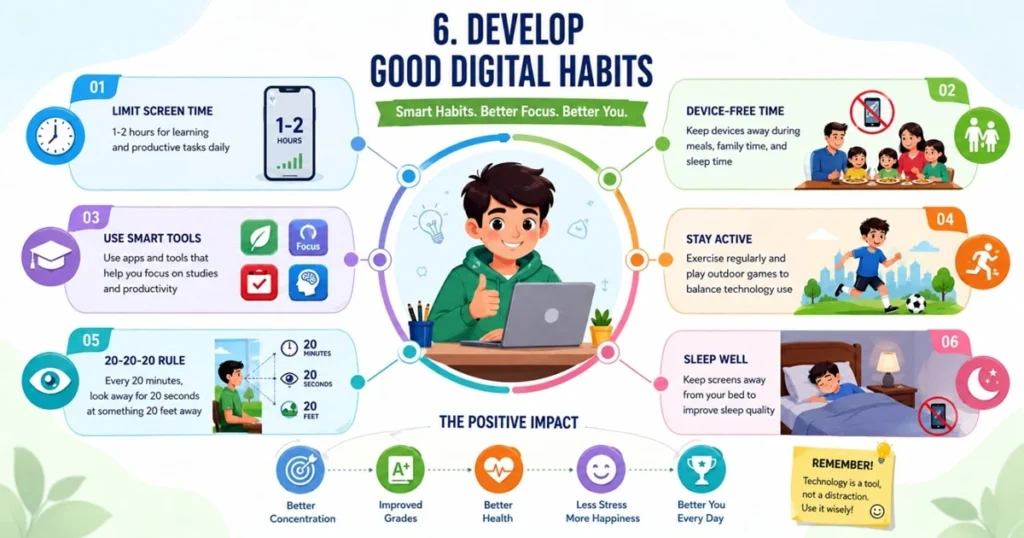
Use social media and game consoles only for a few minutes each day. However, do not forget to give yourself a break after 30 minutes of working in front of the screen. Besides, use gadgets to learn and study instead of entertaining. Moreover, mute the notification to avoid any distraction while studying. Therefore, your concentration and grades will surely get better. In addition, sleep specialists say that you should not have any gadget near your bed at night.
Healthy Digital Habits:
- Limit screen time to 1-2 hours for learning and productive tasks daily
- Keep devices away during meals, family time, and sleep time
- Use apps and tools that help you focus on studies and productivity
- Exercise regularly and play outdoor games to balance technology use
- Take 20-20-20 breaks: Every 20 minutes, look away for 20 seconds at something 20 feet away
Frequently Asked Questions
Q1: How can I tell if a website is trustworthy?
Look for author information, check if it’s updated recently, see if it has proper grammar and spelling, and verify the website ending (.edu, .gov, .org). Trustworthy sites also show sources and have a professional design. Additionally, check if the site has an “About Us” page and clear contact information.
Q2: What is a strong password?
A strong password has at least 8 characters and includes uppercase letters, lowercase letters, numbers, and symbols. Avoid using your name, birthdate, or common words. For example, “Maths@2024Book” is stronger than “password123.” Never write passwords down or share them with anyone.
Q3: How much screen time is healthy for students?
Experts recommend 1-2 hours of quality screen time daily for learning and productive tasks. However, this should not include social media or games. Remember to rest your eyes regularly and take breaks from the screen. Balance screen time with physical activities and outdoor time.
Q4: What should I do if I see cyberbullying online?
Never respond to bullies or spread the message further. Instead, save evidence, block the person, and immediately tell a parent, teacher, or counselor. Most platforms allow you to report harmful content and get help. Remember that you are not alone and seeking help is the right choice.
Q5: How do I know if a source is biased?
Look for author credentials and affiliations, check for multiple viewpoints presented, see if opinions are separated from facts, and research the organization behind the source. Compare with other sources to identify patterns of bias.
Conclusion
Digital literacy is an essential and useful skill set for each student in the modern world. Thus, begin using these tips immediately. Besides, be wise when dealing with information, keep yourself private, and utilize technology appropriately. To conclude, these practices will make you feel secure, confident, and successful on the web. Furthermore, do not forget that learning never ends, so continue researching and stay up to date with the latest technological developments. Lastly, pass along these tips to your relatives and friends. Together, we can create a safer and more competent digital world.