
Introduction to Computer Security
Computer Security refers to the protection of computer systems, networks, and data from damage, theft, and unauthorized access.
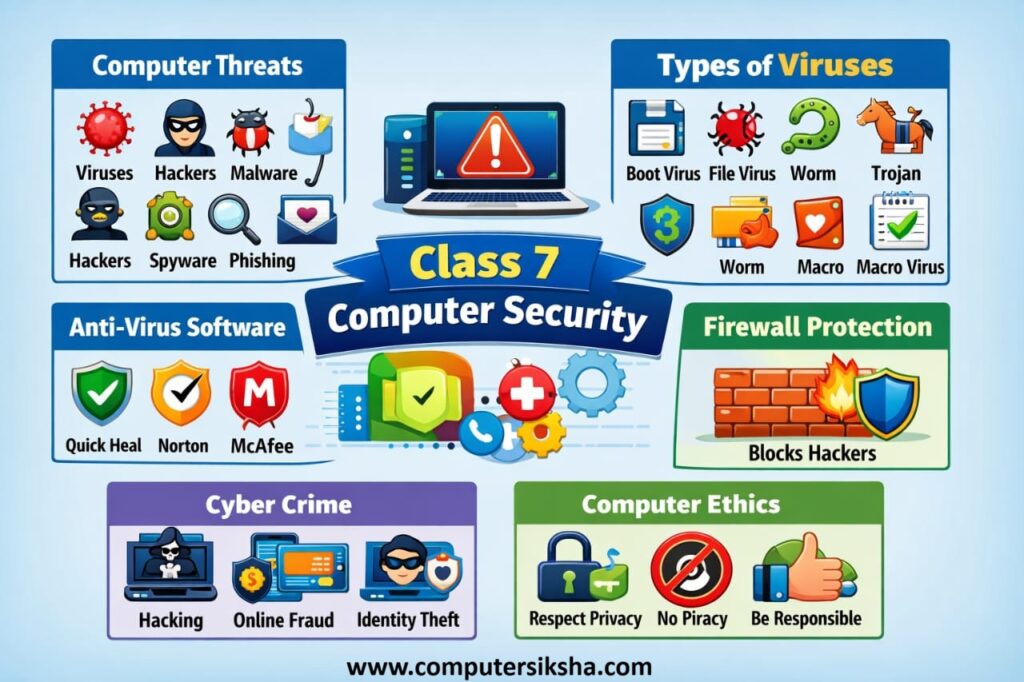
It helps us keep:
- Personal information safe
- Computers working properly
- Data protected from hackers and viruses
Threats to Computers
Computer Threats are harmful activities or programs that can damage a computer system or steal data.
Common Computer Threats:
- Viruses: Harmful programs that damage files and spread from one computer to another.
- Hackers: People who illegally access computers or networks to steal or damage data.
- Malware: Any software designed to harm, steal, or disrupt a computer system.
- Spyware: A program that secretly monitors and collects user information.
- Phishing Attacks: Fake messages or websites used to trick users into sharing personal information
These threats can slow down systems, delete files, or leak personal information.
Computer Viruses
A computer virus is a malicious program that, first, attaches itself to files or programs and, then, spreads from one computer to another, thereby causing harm
How Viruses Spread:
- Infected USB drives
- Email attachments
- Downloading files from unsafe websites
Types of Computer Viruses:
1. Boot Sector Virus
First, it attacks the boot sector of a hard disk, and therefore it starts when the computer is switched on.
2. File Virus
Infects executable files like .exe and spreads when the file is opened.
3. Macro Virus
Spreads through documents such as Word or Excel files using macros.
4. Worm
A self-replicating virus that spreads through networks without user action.
5. Trojan Horse
Appears as a useful program but secretly damages the system or steals data.
Anti-Virus Software
Antivirus Software is a program designed to detect, prevent, and remove computer viruses and malware.
Uses of Antivirus Software:
- Scans files and programs
- Removes harmful viruses
- Protects data and privacy
- Provides real-time security
Examples of Antivirus Software:
- Quick Heal
- Norton Antivirus
- McAfee
- Avast
- Kaspersky
Firewall and Its Use
A Firewall is a security system that monitors and controls incoming and outgoing network traffic.
Uses of Firewall:
- Blocks unauthorized access
- Protects from hackers
- Monitors network traffic
- Keeps data safe
Firewalls act like a security guard between a computer and the internet.
Cyber Crime
Cyber Crime is any illegal activity done using computers, mobile phones, or the internet.
- Hacking
- Online fraud
- Identity theft
- Cyber bullying
- Data theft
It can cause financial loss and mental stress.
Computer Ethics
Computer Ethics are moral rules that guide the proper use of computers and the internet.
Important Computer Ethics:
- Do not steal data
- Respect others’ privacy
- Do not spread viruses
- Use software legally
- Avoid cyber bullying
Above ethics helps create a safe digital environment.
Conclusion
Computer Security is very important chapter for class 7 students. Understanding threats, viruses, antivirus software, firewall, cyber crime, and ethics helps students use technology safely and responsibly.